
☀️ Solar PV (Photovoltaic) modeling
🔧 1. Solar PV in Onboarding (Asset Editor)
The Onboarding step defines the current state of the asset — what is installed and how the energy system operates today. If you do not have PV installed already, you can skip this step.
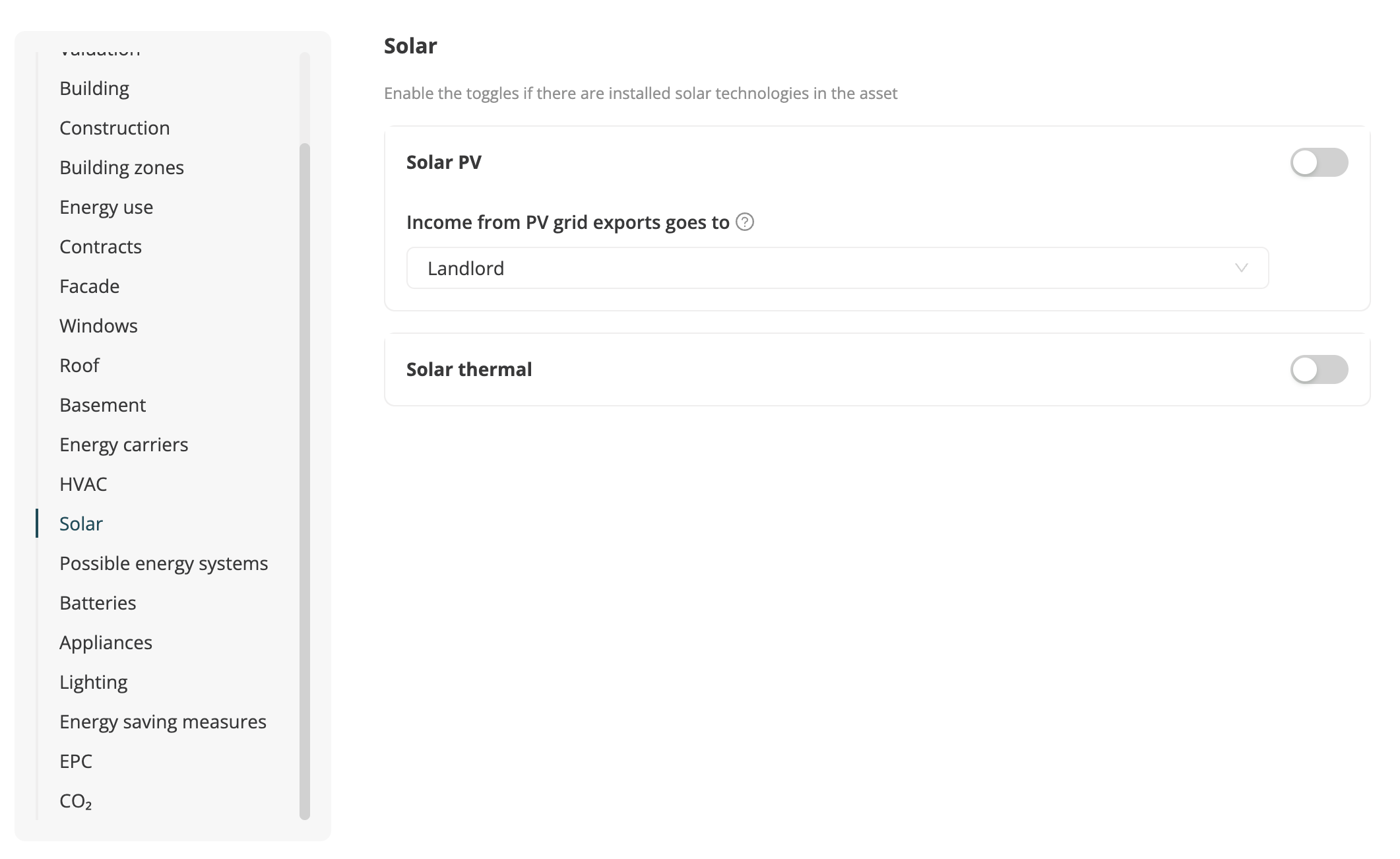
Where to add this? on Asset Overview, click on “Edit asset data”, scroll to Solar, and toggle it on. If your asset does not have Solar PV installed at the moment, leave the toggle off.
| Field | Description | Notes |
|---|---|---|
| PV installed (Yes/No) | Whether the building currently has a PV installation. | If no PV exists, you can still define how a potential PV system should behave (for strategy use). |
| Income from PV grid exports goes to | Allows to model certain regulations that forbid landlords from generating an income when installing PV systems. Options: - Landlord - Tenant | Example: income from grid exports = 1000, PV maintenance cost = 400. Setting "tenant": landlord gets 400, tenant gets 600. Setting "landlord": landlord gets 1000. |
| Last installation year | If PV is installed already, you can set the year of it’s installation. We use this to propagate expected end of life and replacement cycles. | |
| Installed area | If PV is installed already, you can set the currently installed PV area. | We will automatically compute the expected installation in kWp, based on a standard panel efficiency of 22%. |
| Maintenance costs (LC/year) | Running costs for PV operation and maintenance. | Used for landlord cost accounting and profit-sharing scenarios. Not required, if not given, we have our own data on PV maintenance costs. |
| Zones served by PV | If PV is installed already, choose which zones are served by PV electricity: – Common area only (linked to “common area” zone) – Whole building (all zones grouped) – None (100% exported to grid) | This defines which parts of the building use PV electricity. Other zones always take electricity from the grid. When PV serves zones where the landlord pays the energy costs, no income is generated — it only reduces energy costs for the landlord. |
| In-house sell price for PV electricity (LC/kWh) | Price at which PV electricity is sold to tenants. Represents income for the landlord. | It is the price that the tenant pays to the landlord for PV electricity. Required if PV supplies tenant zones. Default = 0 The in-house sell price only applies when tenants pay for their own electricity (defined in onboarding contracts). |
| Offset exports | If enabled, PV exports to the grid are treated as negative operational emissions, reducing total operational asset emissions. | Default = off; can be activated manually. If set to true, the default Optiml strategies will always consider negative emissions. |
☀️ 1.1 Solar PV potential in Asset Overview
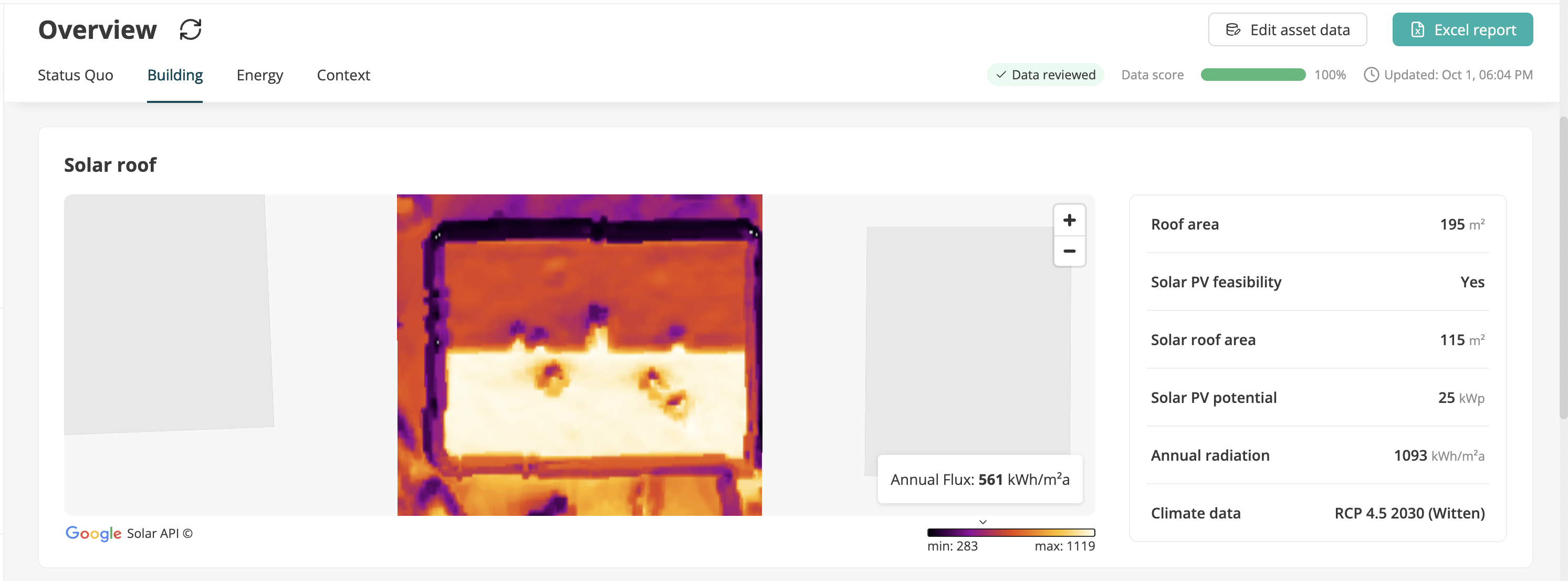
In order to compute current or future Solar PV yields, we retrieve solar irradiation data via the Google Solar API. You can review the estimated potential of your asset on Asset Overview in the “Building” tab. This is simulated automatically, but you have the ability to adjust the Solar roof area in Asset edit directly. The Solar roof area represents the maximum area of the roof, where PV panels can be installed.
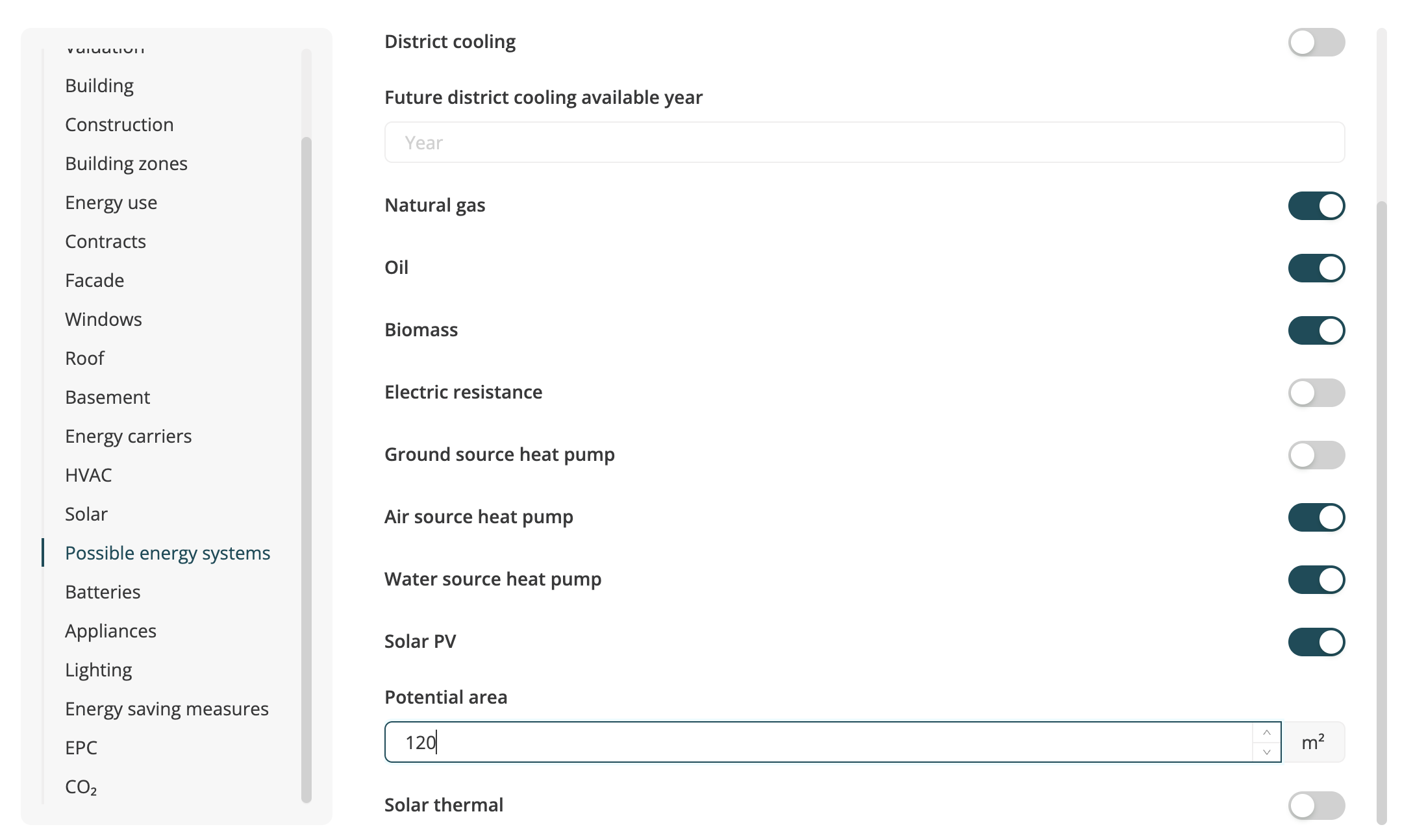
To adjust the available Solar roof area click “Edit asset data”, scroll to “Possible energy systems”, go to “Solar PV”, toggle it on and set the potential area yourself:
☀️ 1.3 Adjust Feed in tariff and import price on Asset Overview
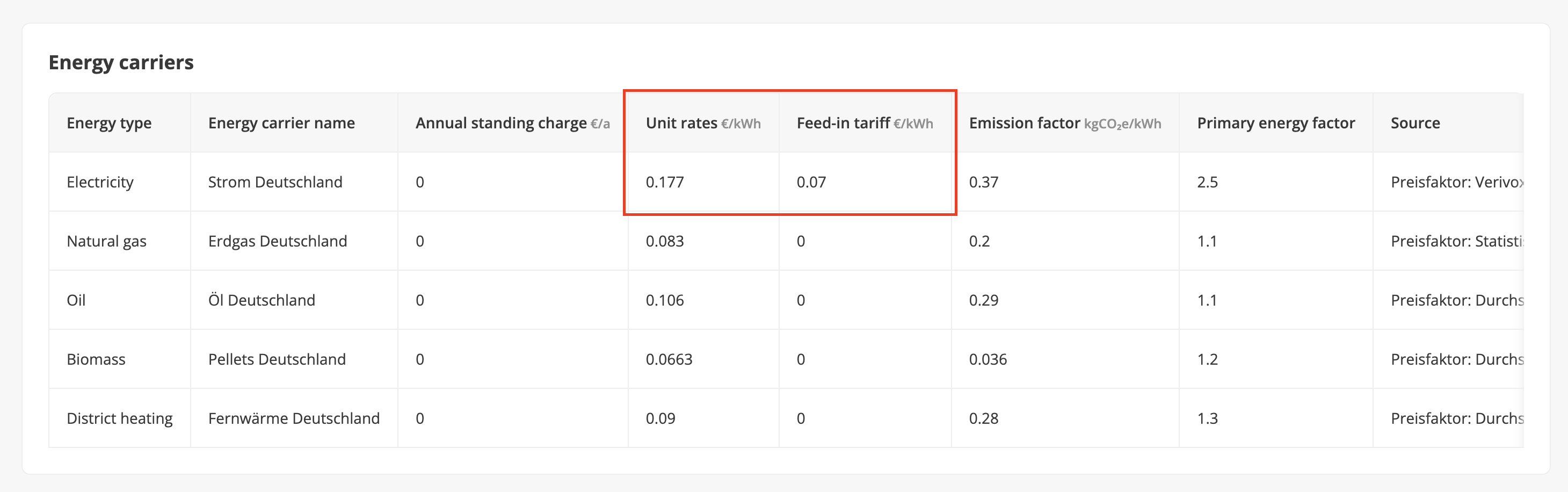
You can explore the currently retrieved feed in tariff and the electricity price from the grid (unit rates) on the Asset Overview page in the “Context tab”:
| Field | Description | Notes |
|---|---|---|
| Feed in tariff (LC/kWh) | Feed-in tariff for electricity exported to the public grid. This can be set in the energy carrier section of the “Asset edit” modal. | Defines income from PV exports to the grid. |
| Unit rate (LC/kWh) | Electricity price for imported grid power. |
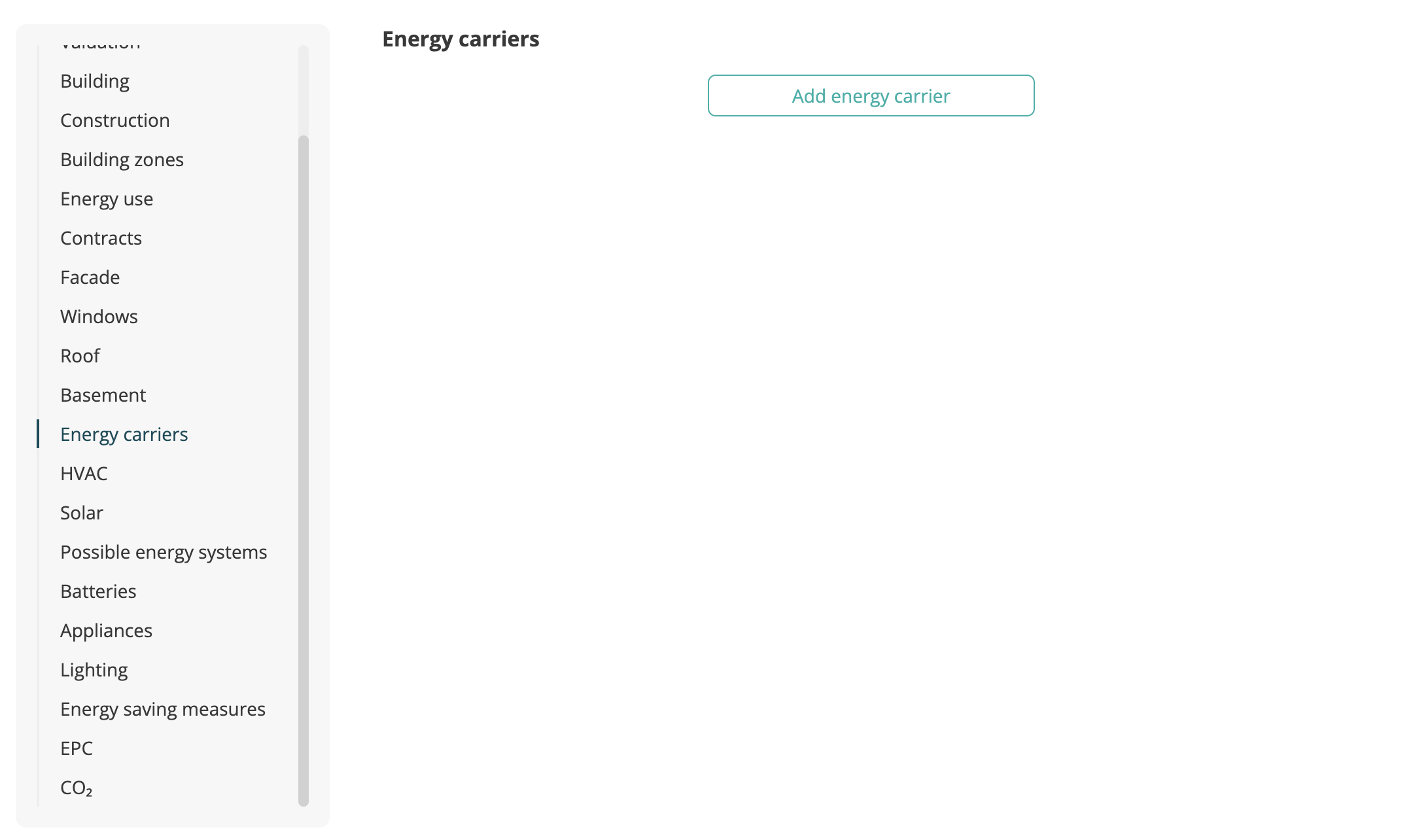
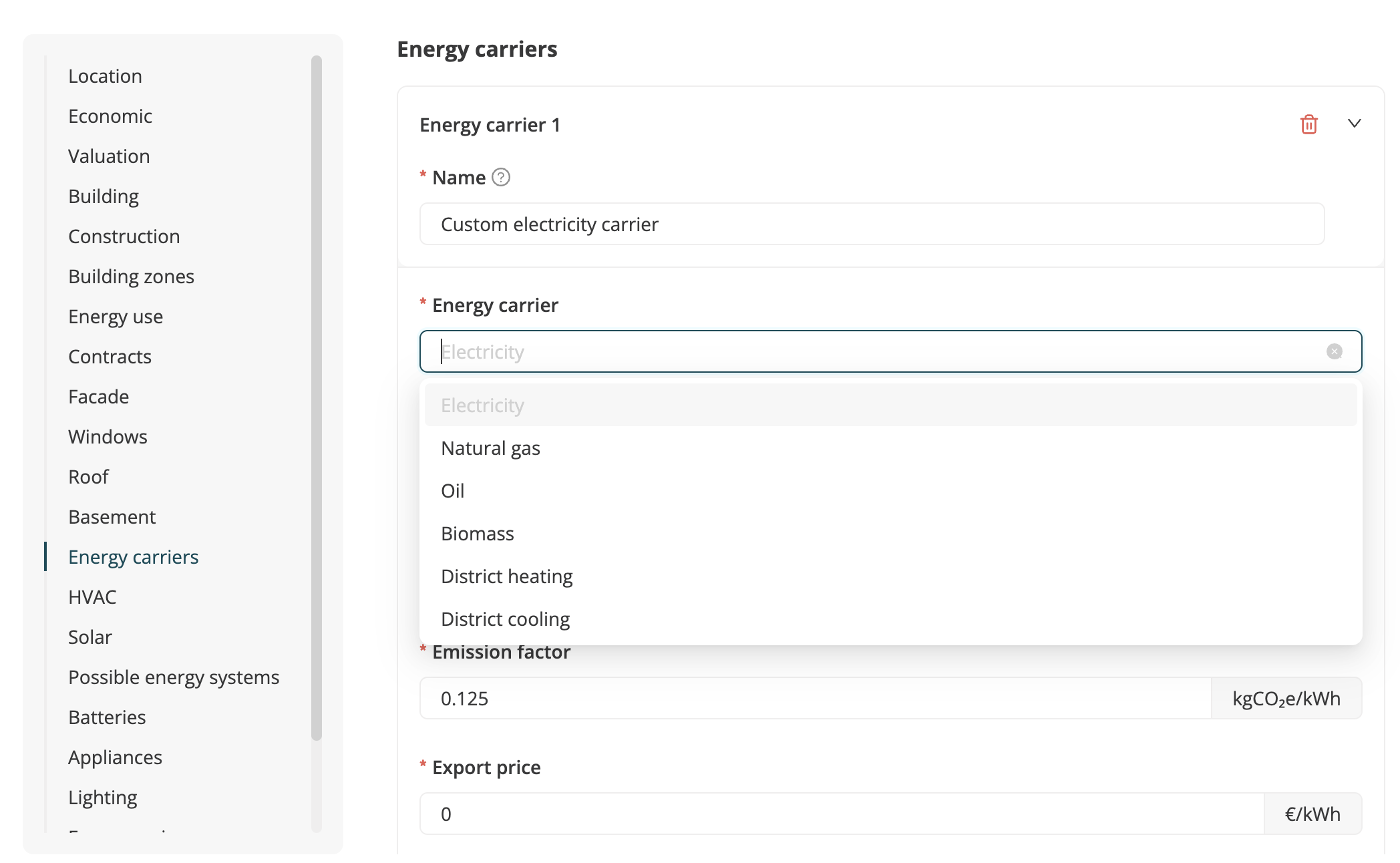
If you want to change the current electricity carrier that was retrieved for this asset, you can simply click on “Edit asset data”, scroll to “Energy carriers”, select to add a new energy carrier and define a new electricity carrier from scratch. You can also set globally available energy carriers on the organizational level, simply go to the homepage of your organization - Data - Context - Energy carriers. You will be able to create energy carriers for certain locations, so that they are automatically available for all assets in a given location.
🧮 2. Solar PV in the Asset Strategy Designer (ASD / PSD)
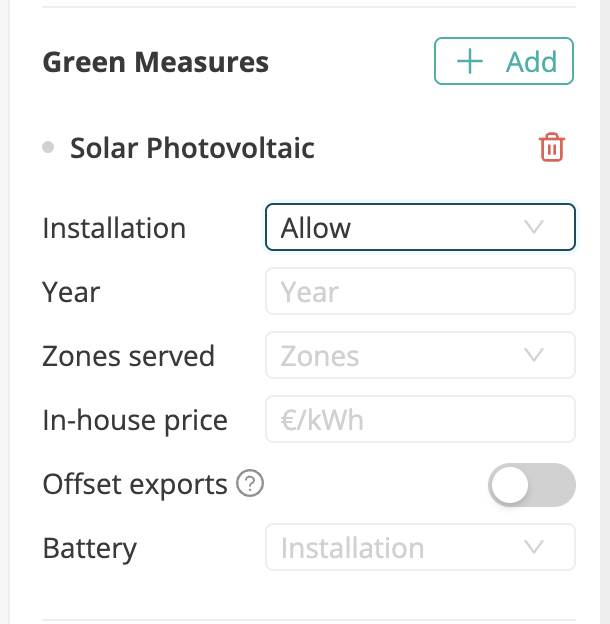
The ASD allows you to model future investment or optimization scenarios, including new or modified PV installations.
| Field | Description | Notes |
|---|---|---|
| Zones served | Define which zones the strategy’s PV installation serves: – Common area only – Whole building – None (100% exported to grid) If a new PV system is added by a strategy, the selected “PV serves” configuration applies to all years of that strategy. PV sizing is optimized for the selected areas. | If the asset already has PV installed, this overrules it. You can experiment with what would happen if the zone allocation changed? Electricity not used on-site is exported to the grid at the grid sell price. Default if not set: Whole building. |
| In-house price (LC/kWh) | Required input if PV serves tenant zones where tenants pay for the energy costs themselves. Determines the electricity price the landlord charges for PV supply. | Default = 0 |
| Offset exports | If enabled, PV exports to the grid are deducted from operational emissions in each year and affect the decarbonization pathway of the asset. | Default = off PV-generated electricity used in-house always reduces grid consumption (Scope 2). PV exports can optionally generate negative Scope 2 emissions (if toggle enabled). |
| Battery | You can allow the simulation to consider installing a battery to optimize self consumption. |
💸 3. PV Income and cost distribution summary
Depending on contract setup and strategy design, PV income is split as follows:
| Case | Who pays for electricity | PV serves | Income distribution |
|---|---|---|---|
| Case 1 | Landlord pays whole building electricity | Whole building | No income for landlord on in-house consumption (only cost savings). However, Landlord receives feed-in income at grid sell price |
| Case 2 | Tenants pay their own electricity | Whole building | Landlord earns income from PV electricity sold to tenants at the in-house sell price |
| Case 3 | Landlord pays common area electricity only | Common area | No income (savings only for landlord) |
| Case 4 | - | None, 100% exported to grid | Landlord/Tenant receives feed-in income at grid sell price. |